Overview
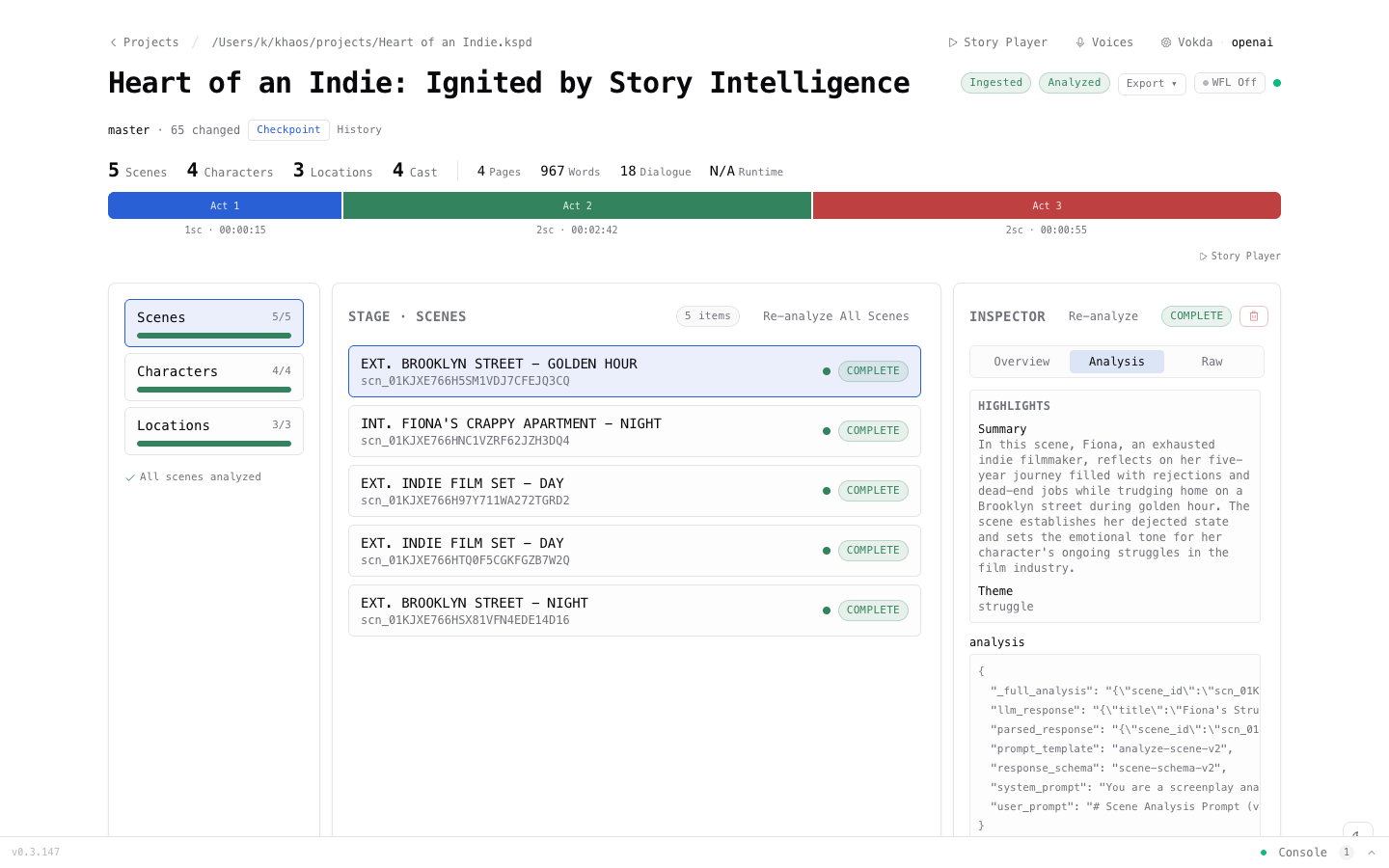
Khaos Machine is a desktop platform that uses AI to analyze screenplays. Import a screenplay file, choose an AI provider, and get deep analysis of every scene, character, and location — all running on your machine.
What It Does
- Parse screenplays into structured data — scenes, characters, locations, and dialogue are extracted automatically.
- Analyze with AI — get dramatic beats, emotional arcs, character traits, relationship maps, and location significance.
- Compare providers — run the same analysis with different AI models and compare results side by side.
- Generate voice — cast voices to characters and generate dialogue audio with text-to-speech.
- Work locally — use Ollama or LM Studio for fully offline, free analysis. No account required.
Supported Platforms
| Platform | Architecture | Package |
|---|---|---|
| macOS | Apple Silicon (arm64) | .pkg installer |
| Linux | amd64, arm64 | .deb (Debian/Ubuntu), .rpm (Fedora/RHEL) |
| Windows | amd64 | .zip archive |
Supported Screenplay Formats
| Format | Extension | Notes |
|---|---|---|
| Fountain | .fountain | Industry-standard plain text format |
| Final Draft | .fdx | Final Draft XML export |
| ScriptBuilder | .sbx | ScriptBuilder XML export |
| Markdown | .md | Markdown-formatted screenplays |
.pdf | Requires pdftotext on your system | |
| Plain Text | .txt | Auto-detected screenplay formatting |
Supported AI Providers
| Provider | Type | Cost |
|---|---|---|
| Ollama | Local | Free — runs on your machine |
| LM Studio | Local | Free — runs on your machine |
| OpenAI | Cloud | Pay-per-use API |
| Anthropic | Cloud | Pay-per-use API |
| Mistral | Cloud | Pay-per-use API |
| Groq | Cloud | Free tier available |
How It Works
- Install — download the installer for your platform and run it.
- Launch — open Khaos Machine from the menu bar (Mac) or application launcher (Linux/Windows).
- Import — bring in your screenplay file (Final Draft, Fountain, PDF, or plain text).
- Choose an AI — use a free local model or connect to a cloud provider.
- Analyze — click a button and watch as the AI reads your screenplay.
- Explore — browse scene breakdowns, character profiles, relationship maps, and more.
The whole process takes about 10 minutes the first time. After that, importing and analyzing a new screenplay takes just a few clicks.
Next Steps
- Installation — download and install Khaos Machine
- Your First Project — a step-by-step tutorial that walks you through everything
- AI Providers — detailed guide to each AI engine option