Project Management
Create, import, and manage screenplay projects in Khaos Machine.
Creating a Project
Web Dashboard
- Click the Khaos Machine menu bar icon and select Projects.
- Click New Project.
- Enter a project name.
- Choose a location on disk (defaults to
~/.khaos/projects/). - Import a screenplay file.
Terminal Interface
Launch khaos-tui and use the import wizard to create a new project. The wizard walks you through file selection, format detection, and project naming.
CLI
khaos-tools parse --input my-screenplay.fountain --output ~/my-project
Importing Screenplays
Khaos Machine supports six screenplay formats. The parser auto-detects format by file extension.
| Format | Extension | Notes |
|---|---|---|
| Fountain | .fountain | Industry-standard plain text format |
| Final Draft | .fdx | Final Draft XML export |
| ScriptBuilder | .sbx | ScriptBuilder XML export |
| Markdown | .md | Markdown-formatted screenplays |
.pdf | Requires pdftotext installed on your system | |
| Plain Text | .txt | Auto-detected screenplay formatting |
Import Process
When you import a screenplay, the parser:
- Reads the file and detects the format.
- Extracts scenes, characters, locations, and dialogue.
- Deduplicates entity names (e.g., "JOHN", "John", "JON" → single canonical form).
- Creates a KSPD project structure on disk.
Re-importing
If you update your screenplay file, you can re-import it. The parser will re-extract entities and preserve existing analysis results for unchanged entities.
Project Structure on Disk
Each project is stored as a directory following the KSPD (Khaos Screenplay Data) format:
my-project/
├── screenplay.fountain     # Original screenplay file
├── elements/               # Extracted entities
│   ├── scenes/             # One file per scene
│   ├── characters/         # One file per character
│   └── locations/          # One file per location
├── analysis/               # AI analysis results (per provider)
│   └── openai/
│       ├── scenes/
│       ├── characters/
│       └── locations/
└── events.jsonl            # Event log
Managing Multiple Projects
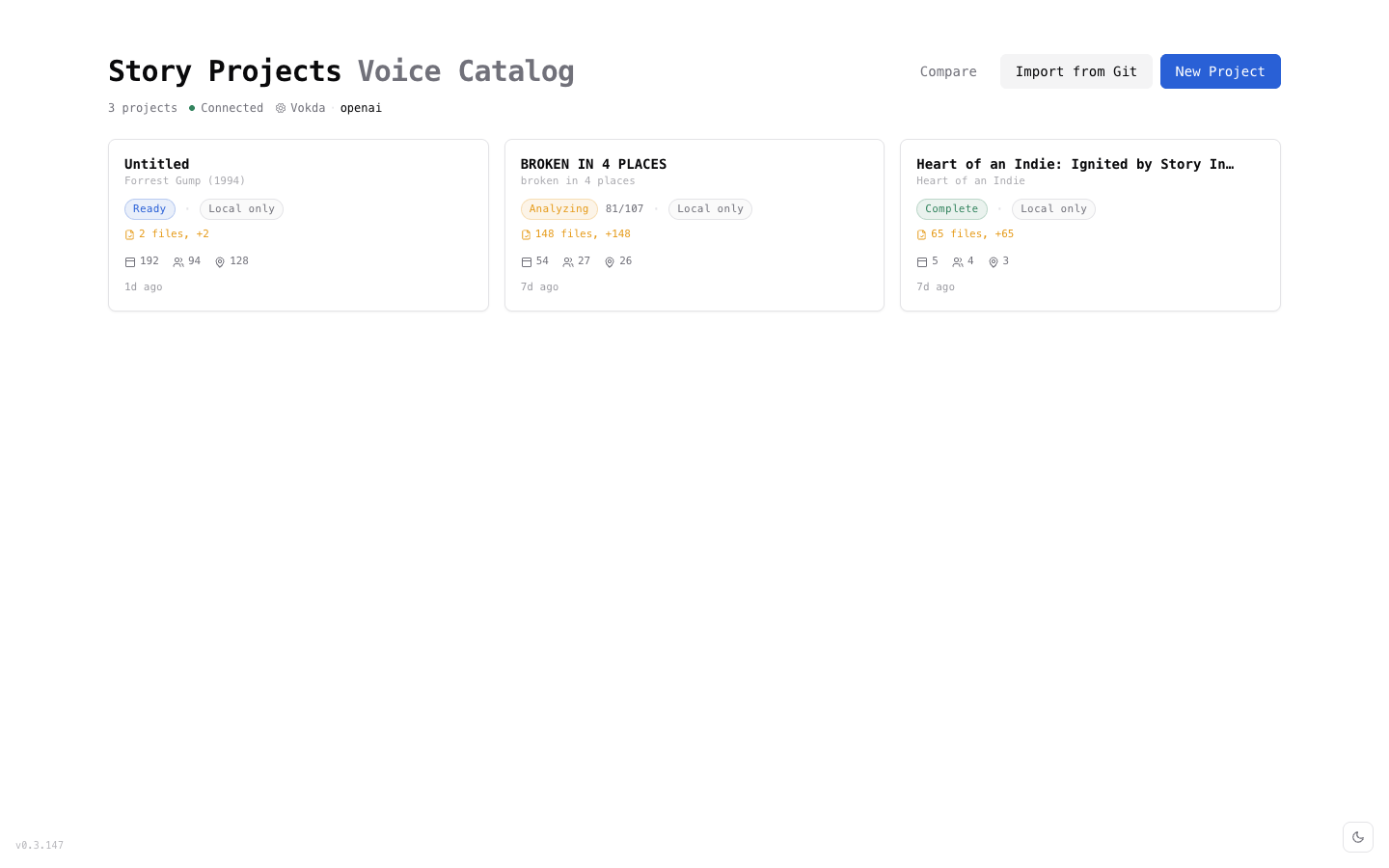
The Projects page shows all your projects with:
- Project name and screenplay title
- Scene, character, and location counts
- Analysis status (how many entities are analyzed)
- Last modified timestamp
Click any project to open its dashboard.
Deleting Projects
To delete a project, use the project context menu in the Projects page. This removes the project from the Khaos Machine index.
Deleting a project removes it from the project list. The files remain on disk at the project path. To fully remove all data, also delete the project directory from your filesystem.
Backing Up Projects
KSPD projects are plain files on disk — no database, no proprietary format. Back them up with any tool you already use:
- Time Machine (macOS) — automatic if projects are in your home directory
- Manual copy —
cp -r ~/my-project ~/backups/ - Cloud sync — iCloud Drive, Dropbox, or any file sync service
- Git — KSPD is designed to be Git-friendly with readable, mergeable files
Next Steps
- Screenplay Analysis — analyze your imported screenplay
- AI Providers — configure your preferred AI provider
- Project Data Format — learn more about the KSPD format